
For landscaping professionals
Show clients their property
already redesigned.
ScapeBuilder turns a photo of a client's real lot into a photorealistic landscape concept in minutes. No CAD software, no long wait for a render farm, no hand sketches that undersell the work.
Create a free account and generate your first render for free.
What you can render
Three scopes, one calm workflow
Scope 01
Full Landscape
Everything on the lot. Plantings, hardscape, lighting, and layout in one cohesive concept for the whole property.
Scope 02
Hardscape
Patios, pavers, walkways, retaining walls, driveways, and pool decks. Focused on structure and material.
Scope 03
Softscape
Trees, shrubs, beds, lawns, and seasonal color. Focused on planting design and how the yard grows in.
A real yard, not a mockup
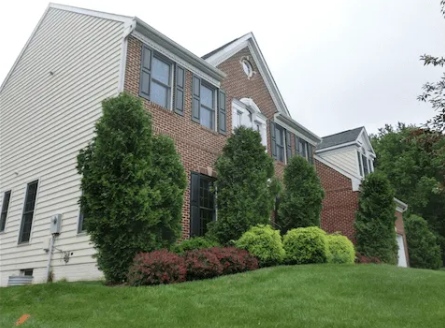
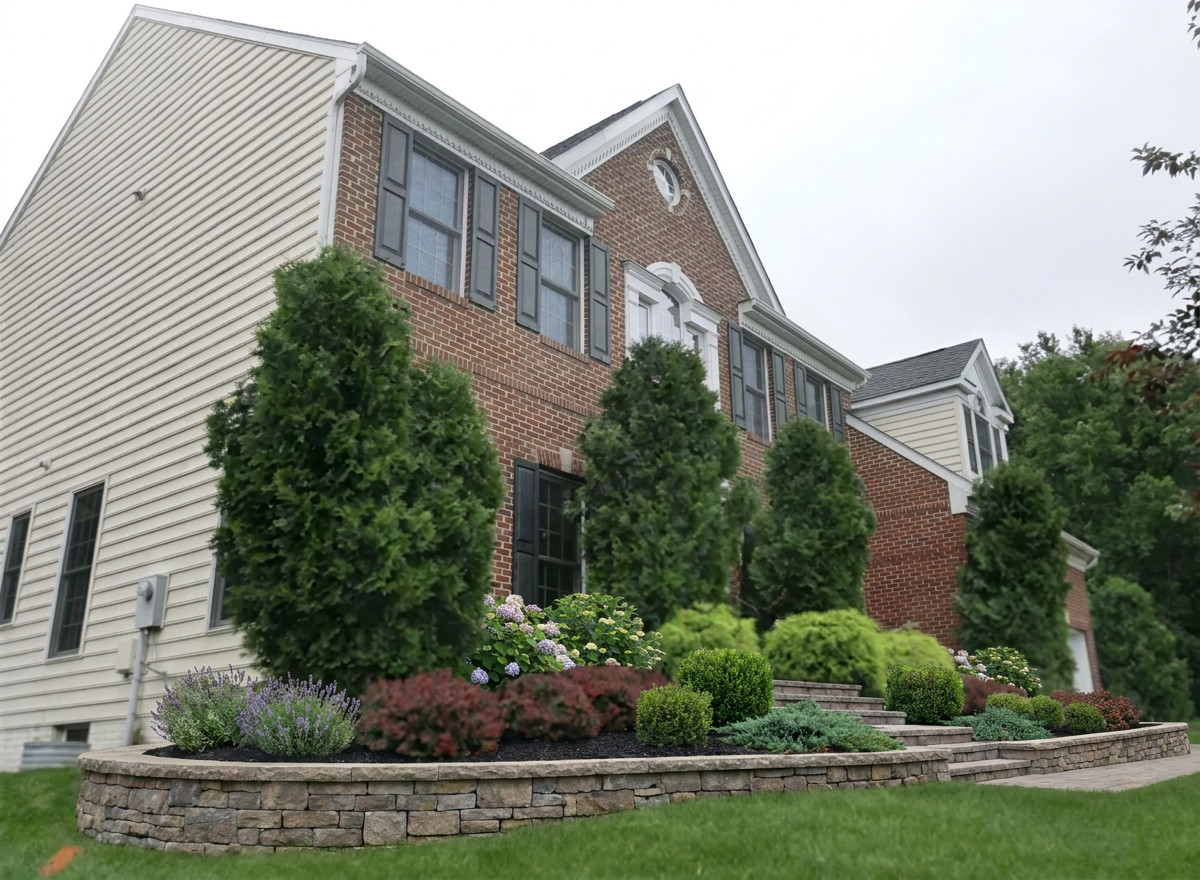
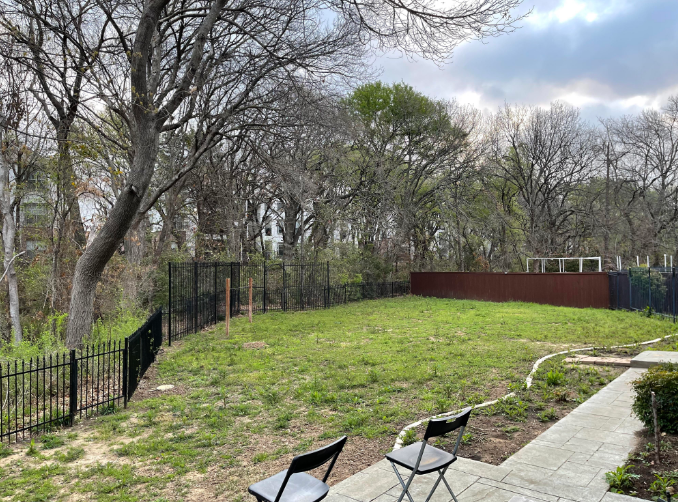
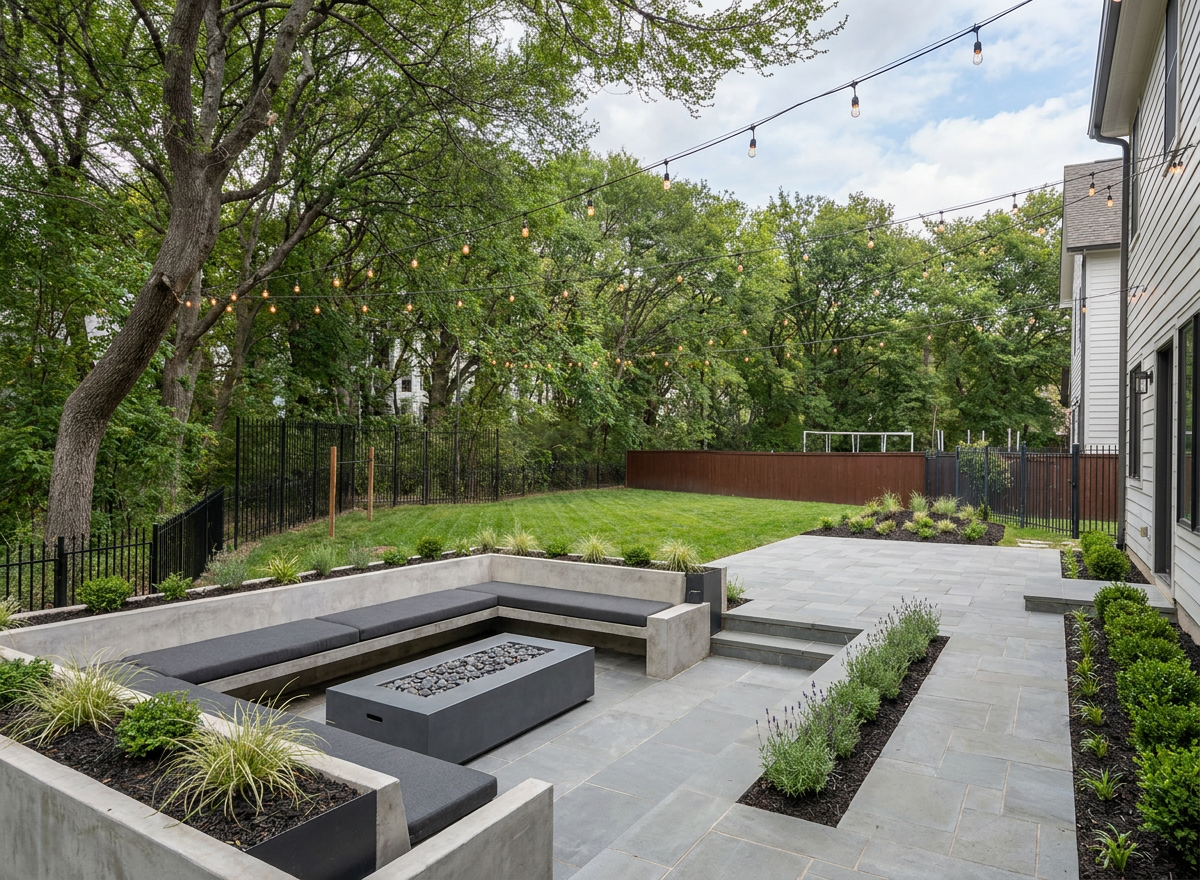
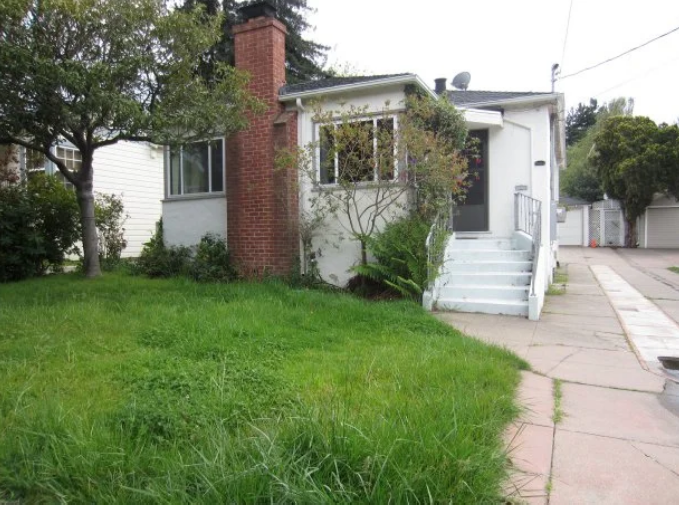
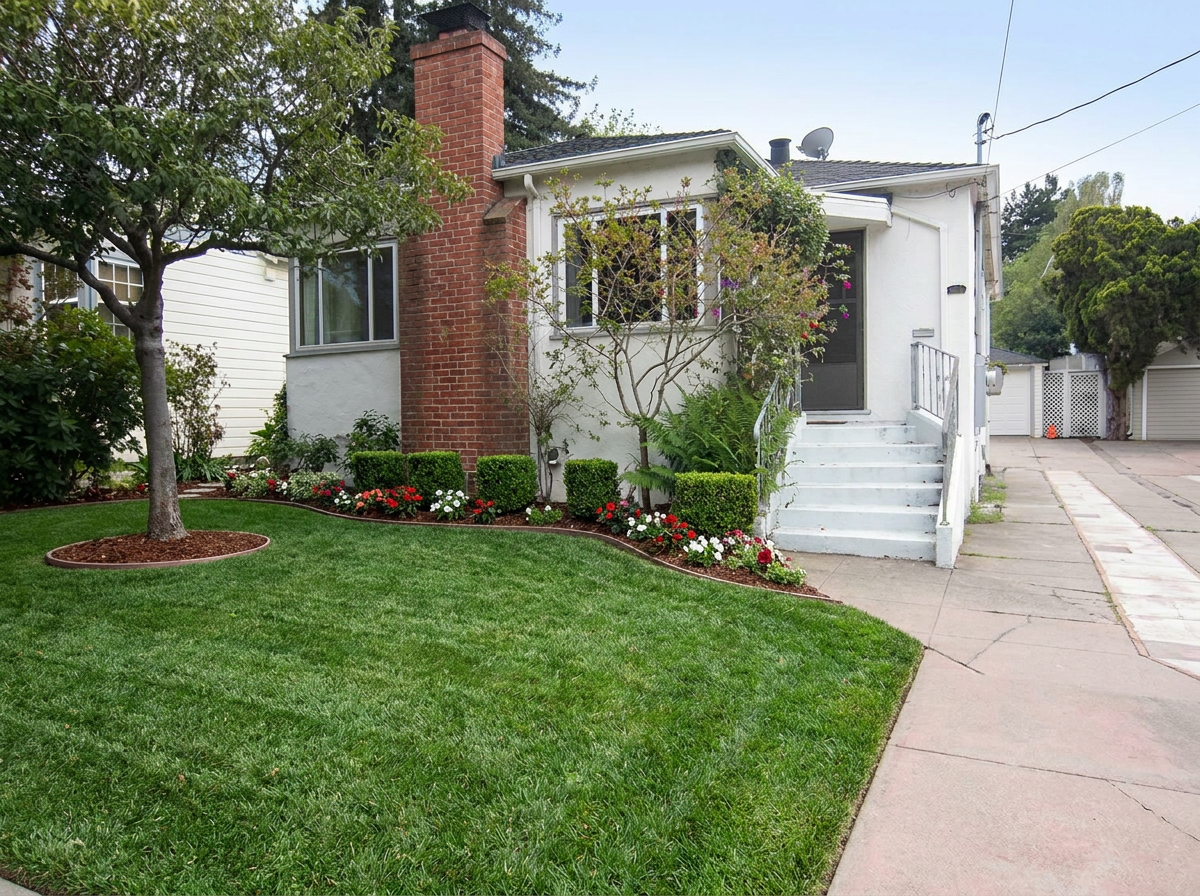
This is an actual client photo on the left, and the concept ScapeBuilder generated from it on the right.
How it works
See ScapeBuilder in action
See exactly how ScapeBuilder turns a property photo or a fresh concept into a finished design in seconds.
Demo 01
Concept Mode
Generate a fresh landscape design from scratch using a written brief, scope, and style.
- 1Open Studio and choose Concept mode.
- 2Pick a scope. Full Landscape, Hardscape, or Softscape.
- 3Pick an area. Front yard, backyard, side yard, courtyard, pool surround, or commercial entry.
- 4Pick a style. Modern Minimalist, Mediterranean, Japanese Zen, English Cottage, Desert Xeriscape, Tropical Resort, Rustic Farmhouse, or Contemporary Coastal.
- 5Write a short line describing what you want. For example, low maintenance front yard with drought tolerant plants and a stone path.
- 6Press Generate. Your concept appears in about two minutes.
Demo 02
Property Mode
Upload a photo of an actual property and redesign it in place for your client presentation.
- 1Take a photo of the actual yard with your phone. A normal photo works fine.
- 2Open Studio and choose Property mode, then upload that photo.
- 3Pick a scope, area, and style, the same way as Concept mode.
- 4Write a short line describing what the client wants.
- 5Press Generate. Your redesigned property appears in about two minutes.
That's the whole process. A few taps, one short description, and a couple of minutes.
FAQ